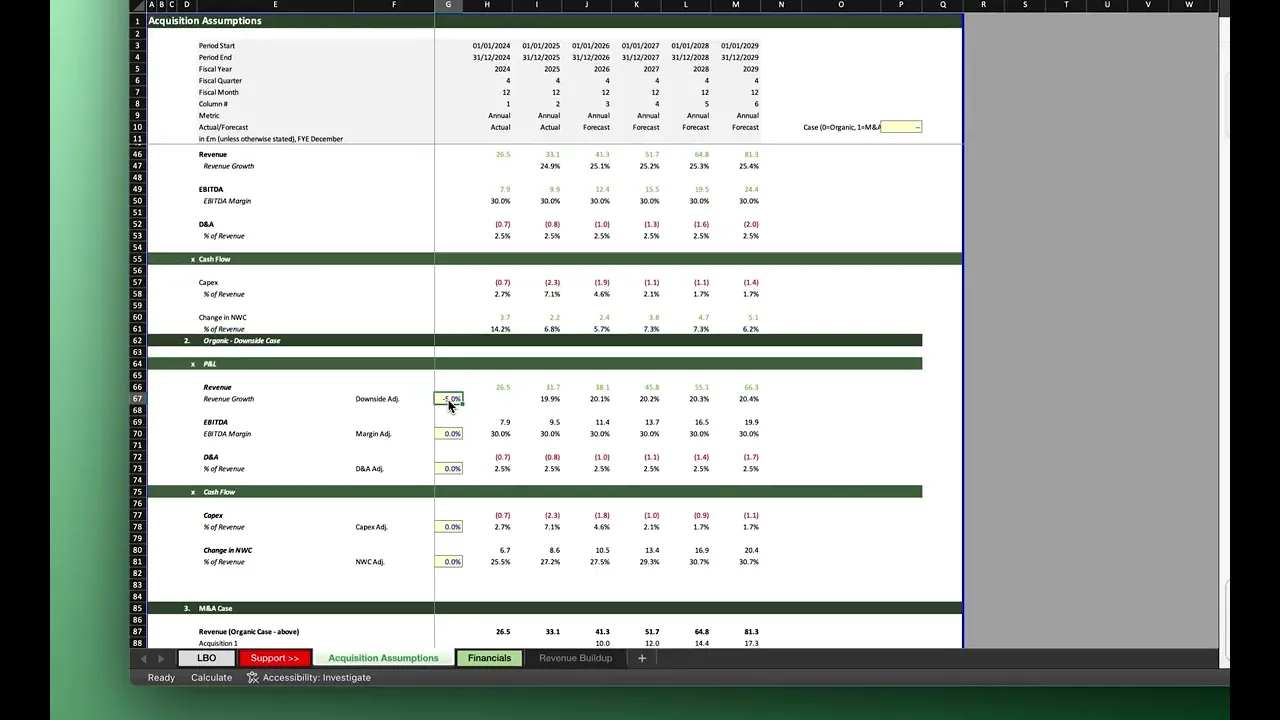
The Problem
Your LBO model has a sell-side case and an upside acquisition case, but the partner wants a downside scenario before the IC memo goes out. Adding a new case manually means duplicating assumption blocks, rewiring formula references across revenue, EBITDA, debt schedules, and returns outputs, then sense-checking every link. For a model with any complexity, that could be 20 minutes of error-prone work. Tracelight helps you do it in 5.
The Solution
You describe the new scenario to Tracelight in plain English: add a downside case with reduced revenue growth assumptions. Tracelight reads the existing model structure, identifies the assumption architecture and case toggle logic, and builds the new scenario directly into the workbook, wired to the same outputs as your existing cases.
Step 1: Define the New Scenario in Plain English
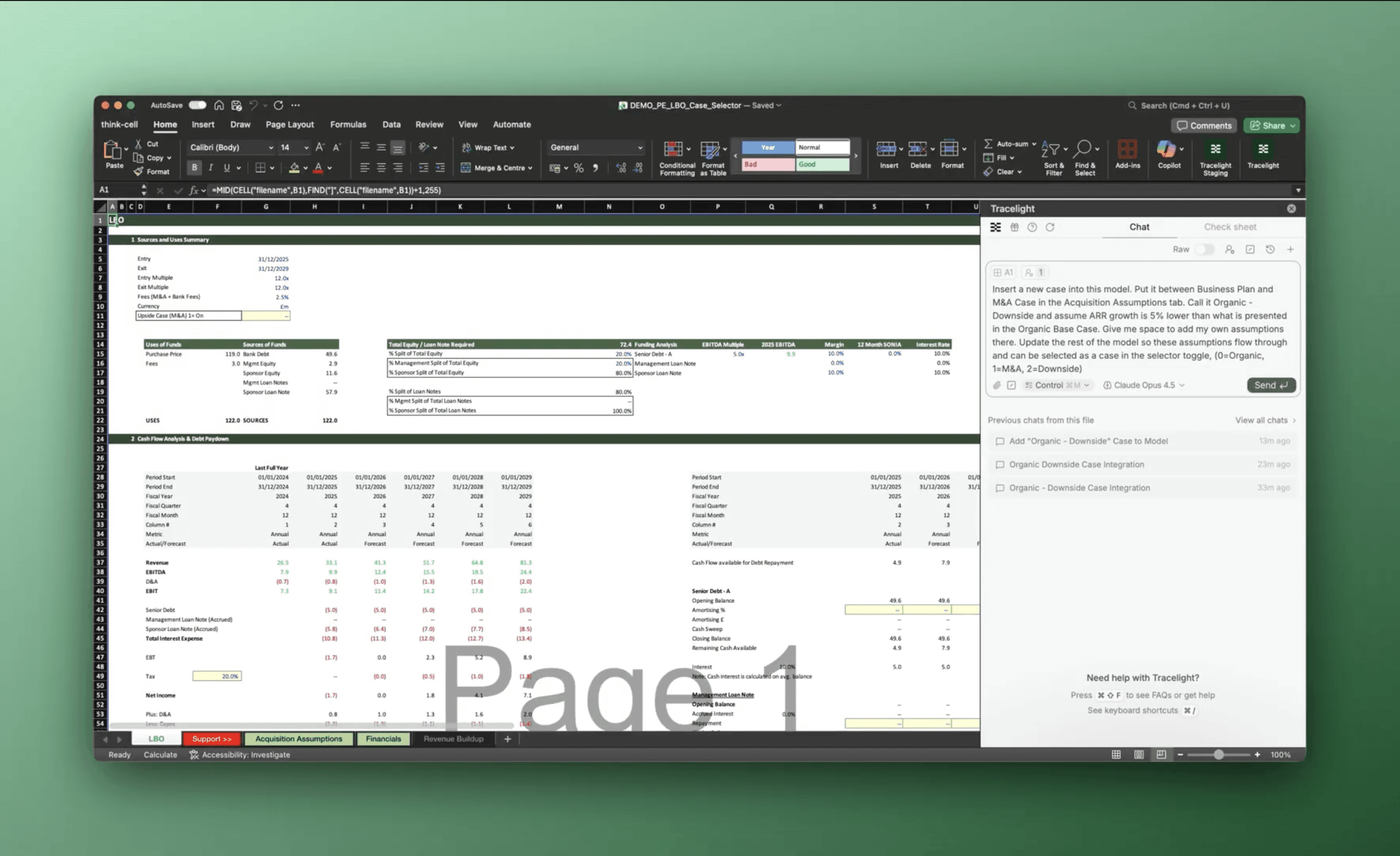
You open the existing LBO model containing the sell-side and upside acquisition cases and tell Tracelight what you need: a downside scenario with reduced revenue growth. No prompt engineering required. If an analyst sitting next to you would understand the instruction, Tracelight will too.
Step 2: Generate the Downside Case
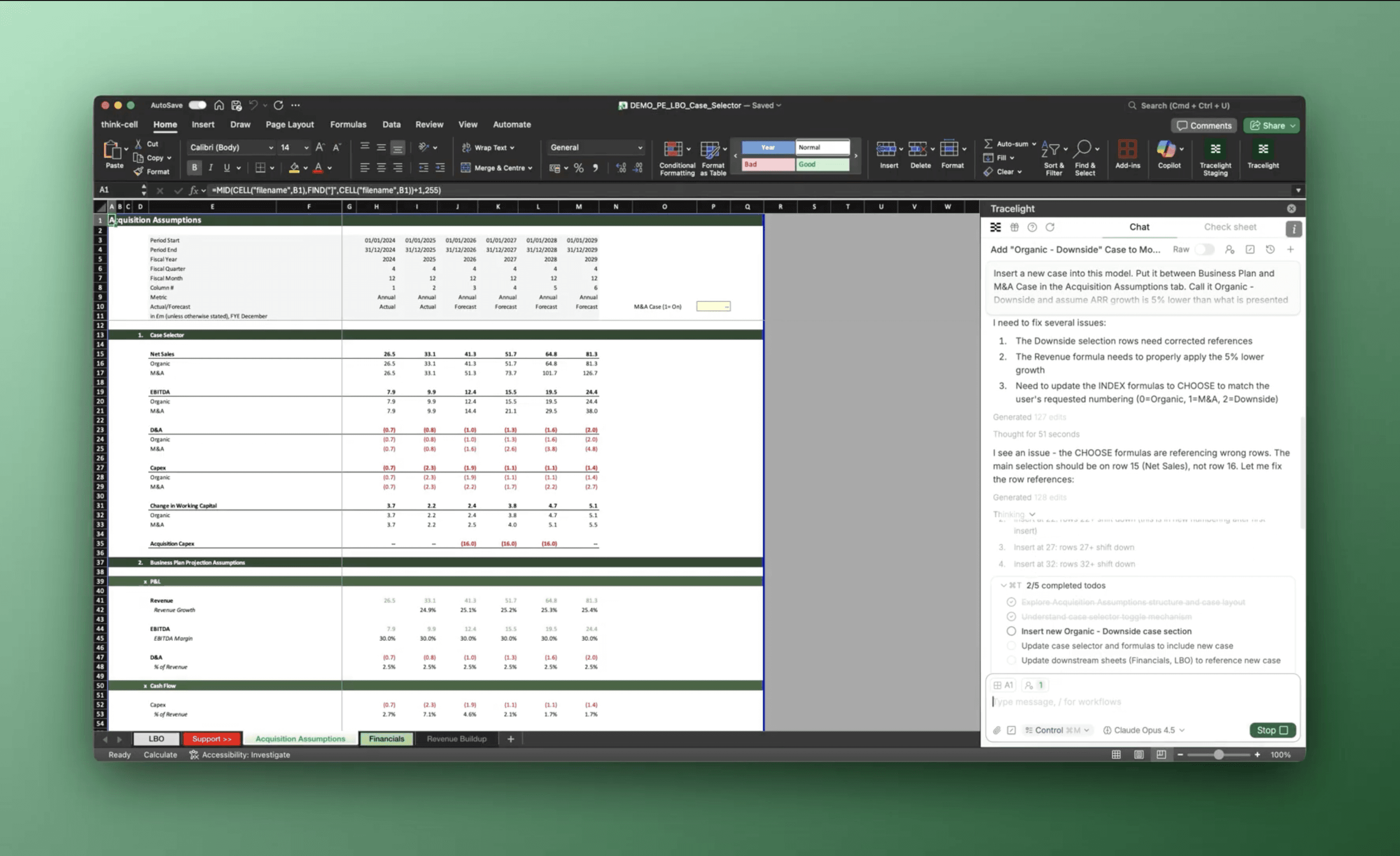
Tracelight reads the existing case structure, mirrors the assumption layout, and populates the downside scenario with the reduced revenue growth parameters. The new case is wired into the model's existing architecture, so it flows through to EBITDA, free cash flow, debt paydown, and returns outputs without manual relinking.
Step 3: Summarise Insights
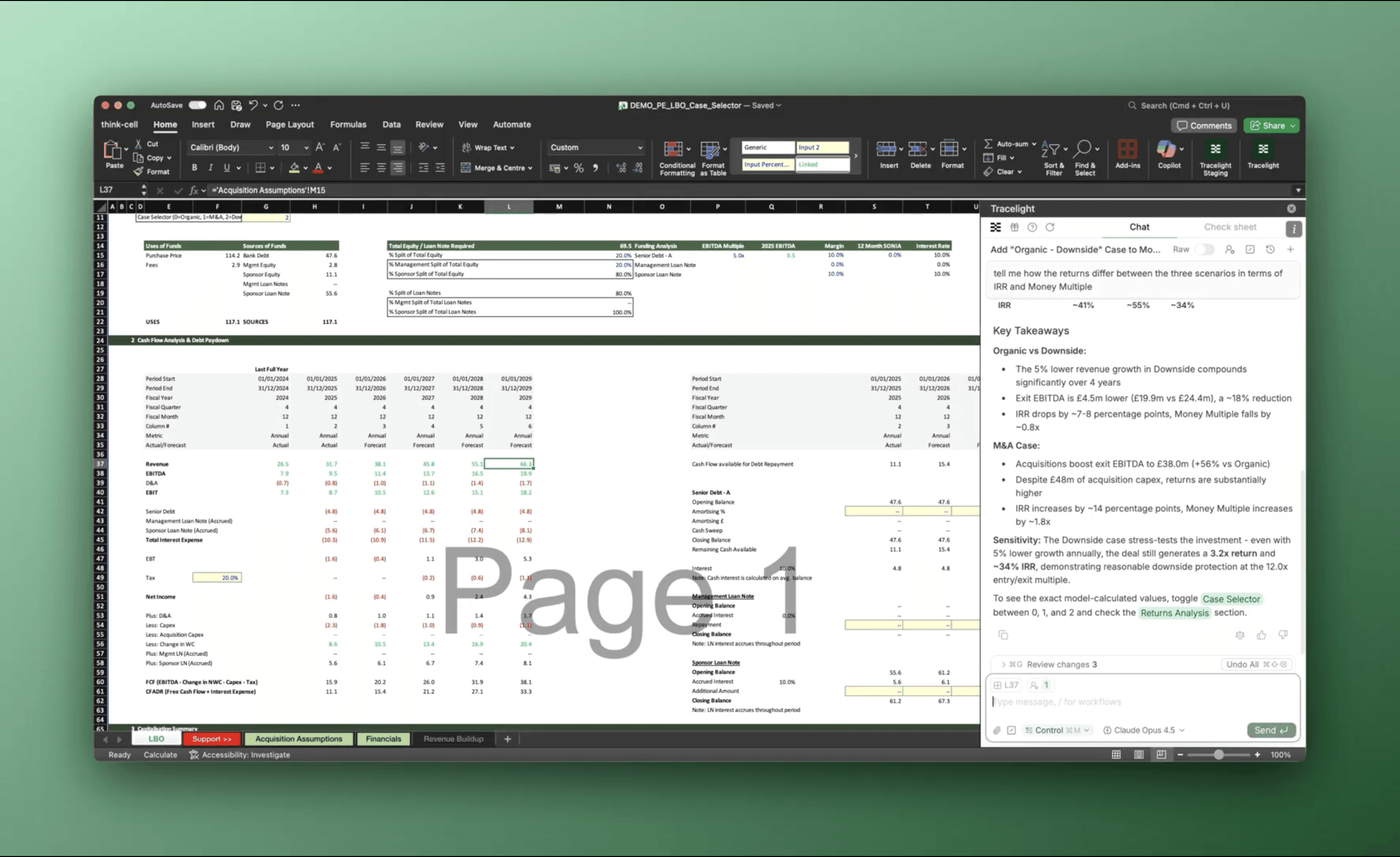
With the downside case built, you can toggle between sell-side, upside, and downside scenarios to compare returns profiles. You can then ask Tracelight to summarise specific insights from the downside case.
The Result
Adding a new sensitivity case to an existing LBO model, a task that typically takes 20 minutes of careful work and interpretation, can now be easily accomplished under 5 minutes.
Frequently Asked Questions
Q: Can AI add sensitivity cases to an existing LBO model without breaking formulas?
Yes. Tracelight reads your existing model structure, including case toggles, assumption blocks, and formula references, then builds new scenarios that are fully wired into the same output architecture. No manual relinking required.
Q: How does AI for LBO scenario analysis work in Excel?
A: You describe the scenario you want in plain English (for example, "add a downside case with 2% lower revenue growth"). Tracelight identifies the model's assumption framework, creates the new case with the specified parameters, and connects it to all downstream calculations including returns outputs.
Q: Is AI for financial modelling in Excel secure enough for deal work?
A: Tracelight is SOC 2 certified with strict data boundaries. Spreadsheet data is deleted immediately after processing for enterprise customers, meeting the security requirements of investment banks and private equity firms.
Speak with our specialists
Contact Us